# How To Remove Branding

<figure><img src="https://1050769033-files.gitbook.io/~/files/v0/b/gitbook-x-prod.appspot.com/o/spaces%2FfP7lsowUadzz9rYPA2VW%2Fuploads%2FvNNeI6chesVO8pjGhFgo%2Fremove-branding.gif?alt=media&#x26;token=f446726b-d557-49a8-9e4e-72fe2488a2c2" alt=""><figcaption></figcaption></figure>

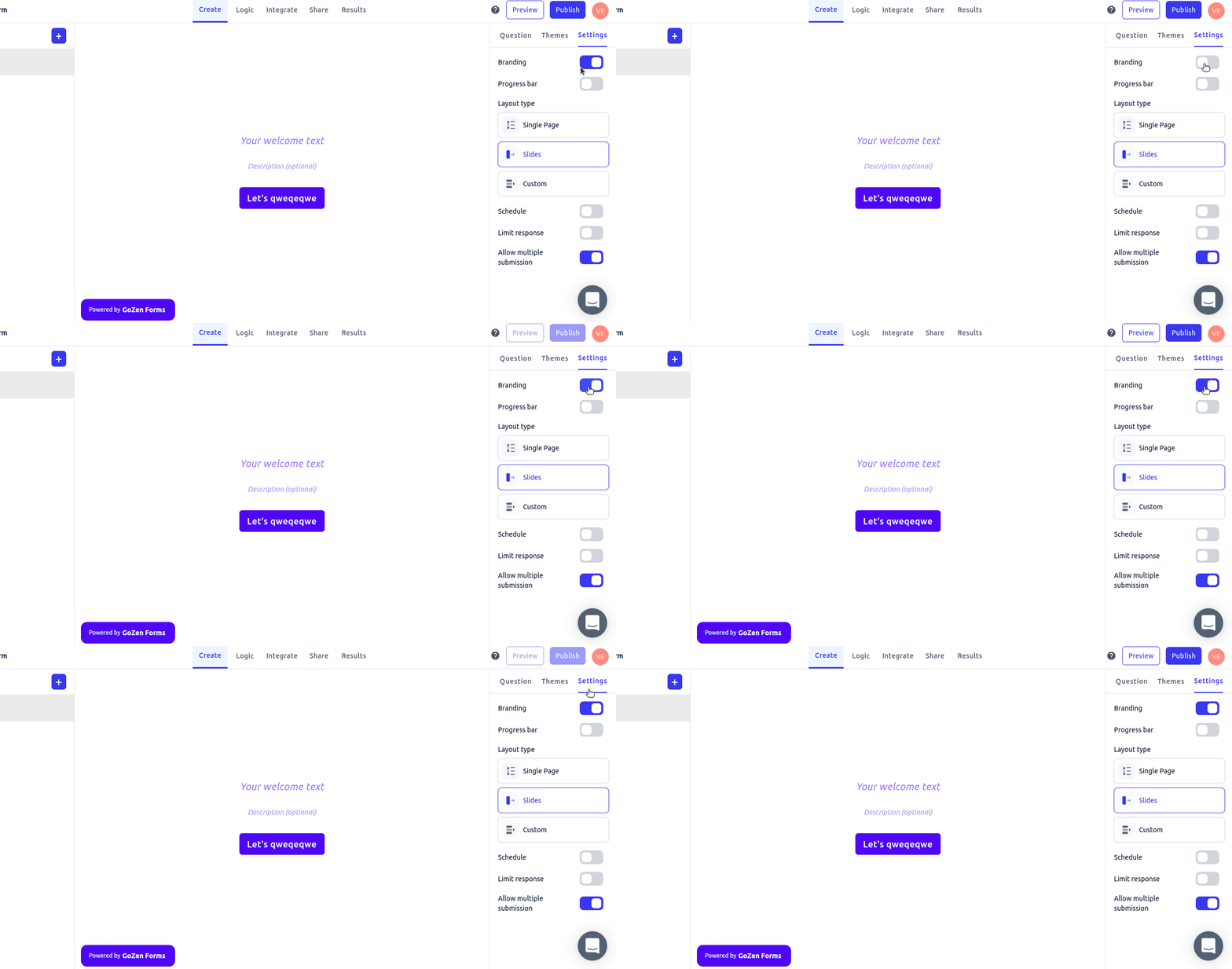
To Remove GoZen Forms branding on your form&#x20;

\
First, access the form builder by clicking Settings.&#x20;

If you want to change from a branded to an unbranded form, you can do so by clicking the "Branding" tab.

### To Remove Branding from " Thank You Page "

To Remove GoZen Forms branding on your Thank You Page.

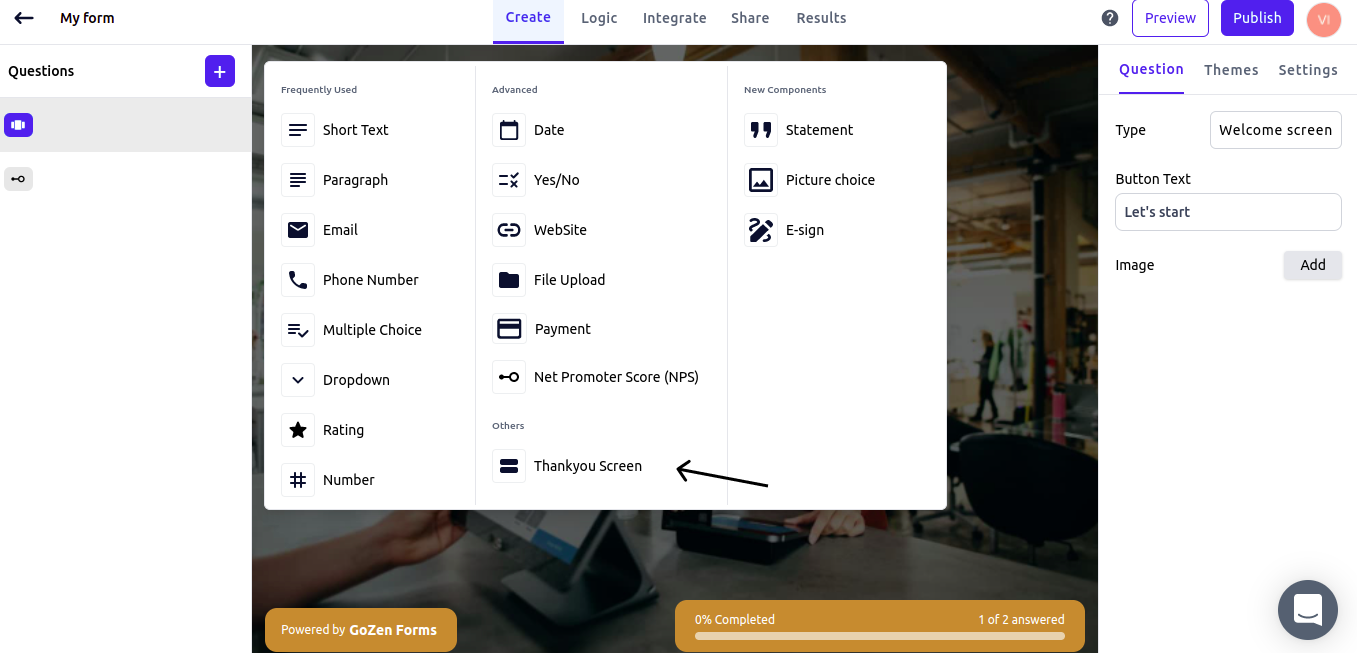
Go to the add question button and then select the thank you page component.

<figure><img src="https://1050769033-files.gitbook.io/~/files/v0/b/gitbook-x-prod.appspot.com/o/spaces%2FfP7lsowUadzz9rYPA2VW%2Fuploads%2FYCA642cTveTy78nwXFFx%2FFrame%201%20(81).png?alt=media&#x26;token=4571459f-4482-4a3c-984f-27175a8c3c69" alt=""><figcaption></figcaption></figure>

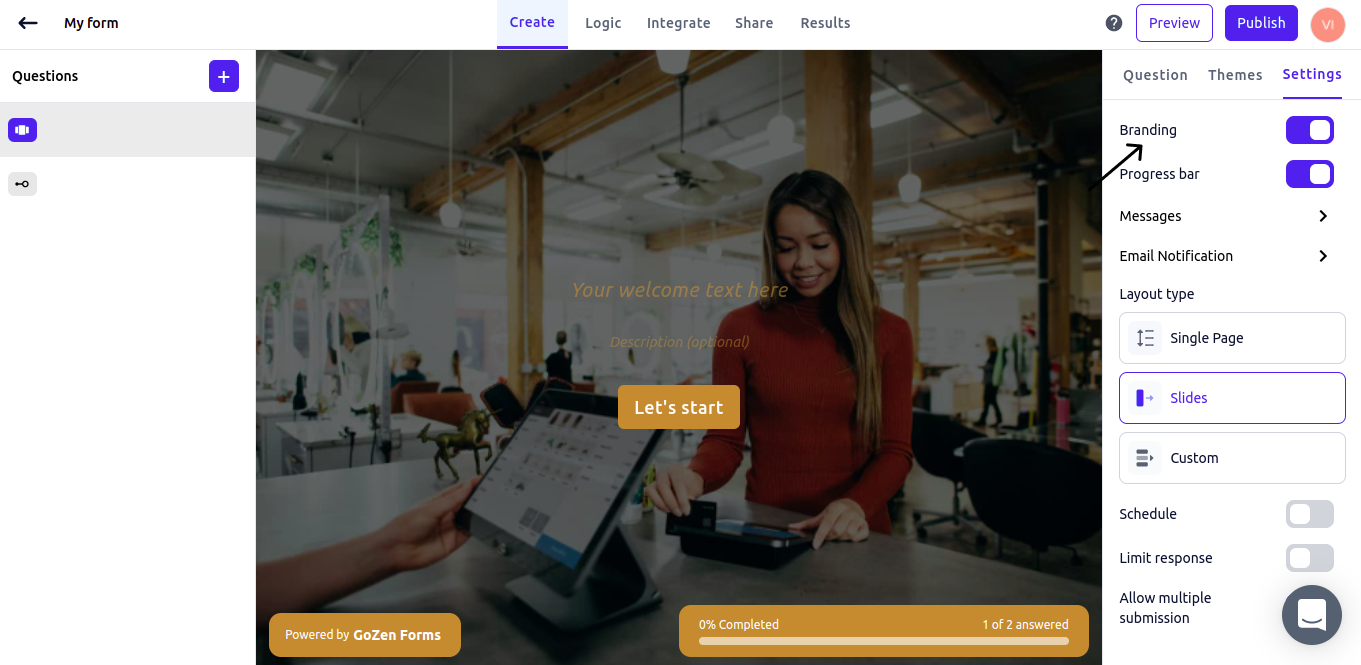
Click the settings tab, and if you want to switch from a branded to an unbranded form, click the "Branding" tab.

<figure><img src="https://1050769033-files.gitbook.io/~/files/v0/b/gitbook-x-prod.appspot.com/o/spaces%2FfP7lsowUadzz9rYPA2VW%2Fuploads%2FPkkHz1WY3dNSkrQVwQtO%2FFrame%201%20(82).png?alt=media&#x26;token=6b1464f2-b8cf-4b3d-ae07-da6dc86dd0f1" alt=""><figcaption></figcaption></figure>