# How To Change Font Size

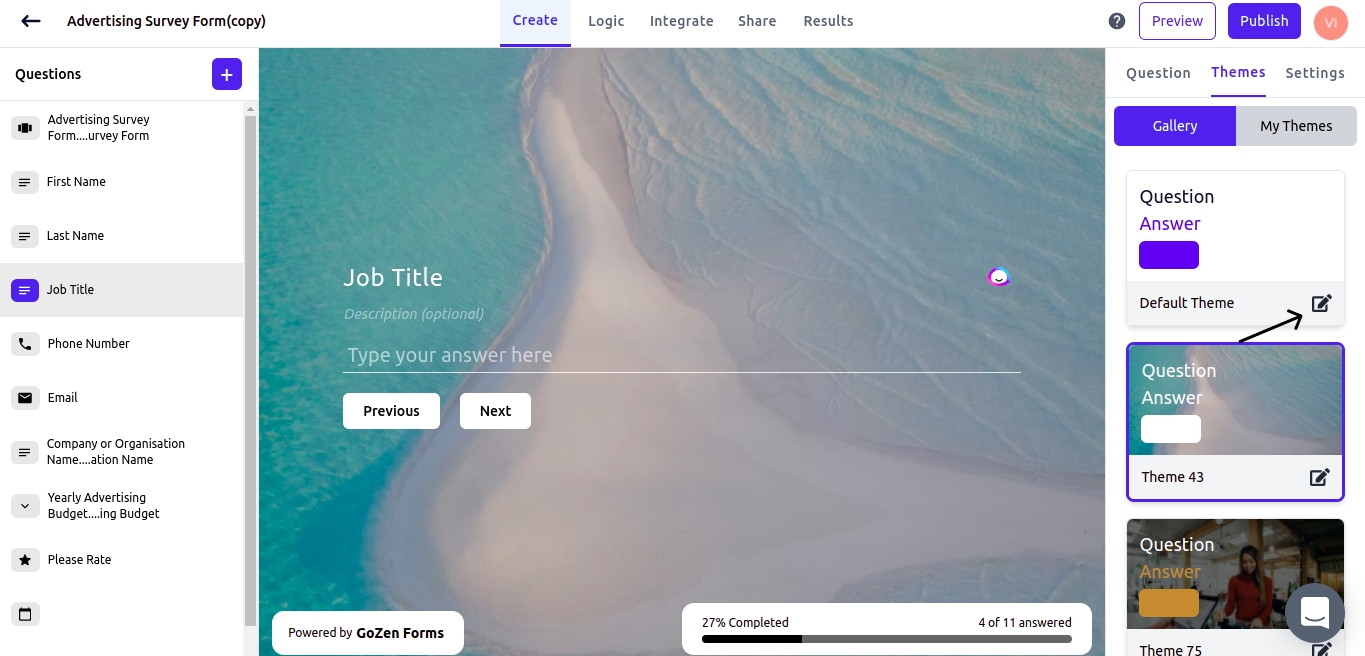
To alter the font size in your forms, select themes from the form builder's menu.

<figure><img src="https://1050769033-files.gitbook.io/~/files/v0/b/gitbook-x-prod.appspot.com/o/spaces%2FfP7lsowUadzz9rYPA2VW%2Fuploads%2FTvhrWH70k6Pv6DhkLroP%2FFrame%201%20(83).png?alt=media&#x26;token=2a0f97d9-0d4f-4ee3-816a-e31799cb2d08" alt=""><figcaption></figcaption></figure>

In the form themes, click the edit icon.

<figure><img src="https://1050769033-files.gitbook.io/~/files/v0/b/gitbook-x-prod.appspot.com/o/spaces%2FfP7lsowUadzz9rYPA2VW%2Fuploads%2FcscHjkfkXYSouiLjA9ei%2FFrame%201%20(84).png?alt=media&#x26;token=e531d908-2fd2-4686-b005-f215c8866630" alt=""><figcaption></figcaption></figure>

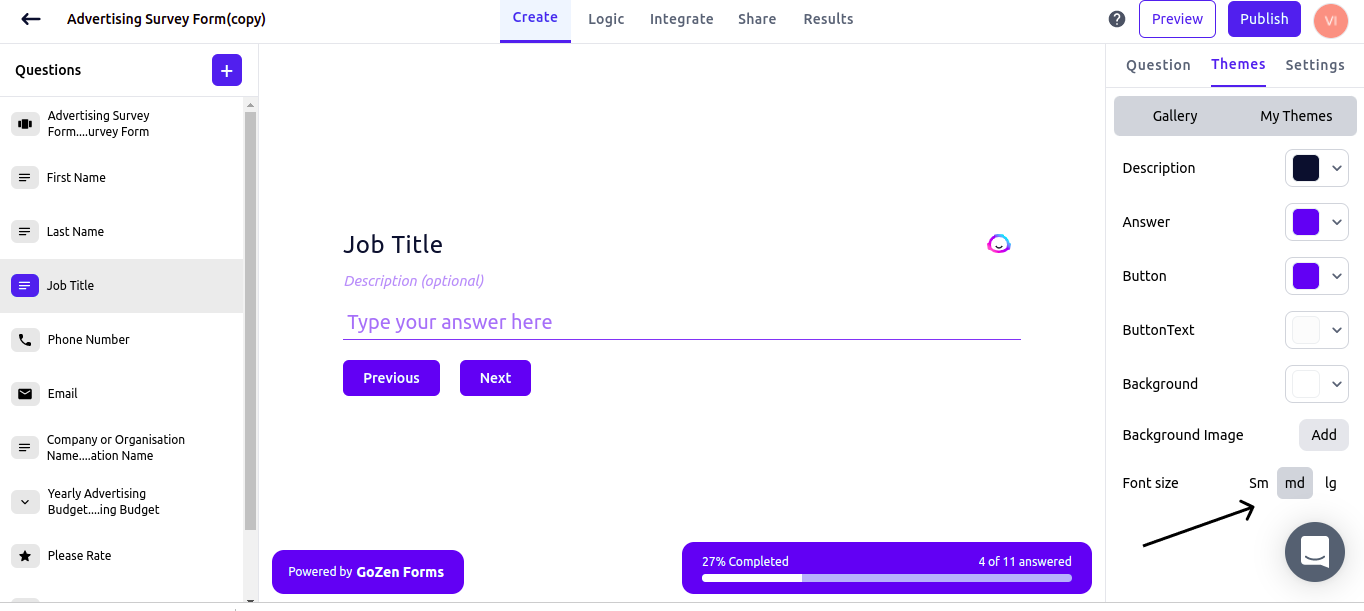
There will be a list of font size options at the bottom of the menu to choose from: small, medium, and large.