# Add Teammates

Invite your team members to join your account so they can collaborate on forms. Ensure that your entire team is on the same page.

**To add a user** \
\
1\. Navigate to user profile and **click on settings**&#x20;

2\. From the settings menu, **select Teams**.

<figure><img src="https://1050769033-files.gitbook.io/~/files/v0/b/gitbook-x-prod.appspot.com/o/spaces%2FfP7lsowUadzz9rYPA2VW%2Fuploads%2FO6UBkV34owDi9goxUtk9%2Fimage.png?alt=media&#x26;token=1030e2c2-3584-4182-9f88-2f60b4e2d291" alt=""><figcaption></figcaption></figure>

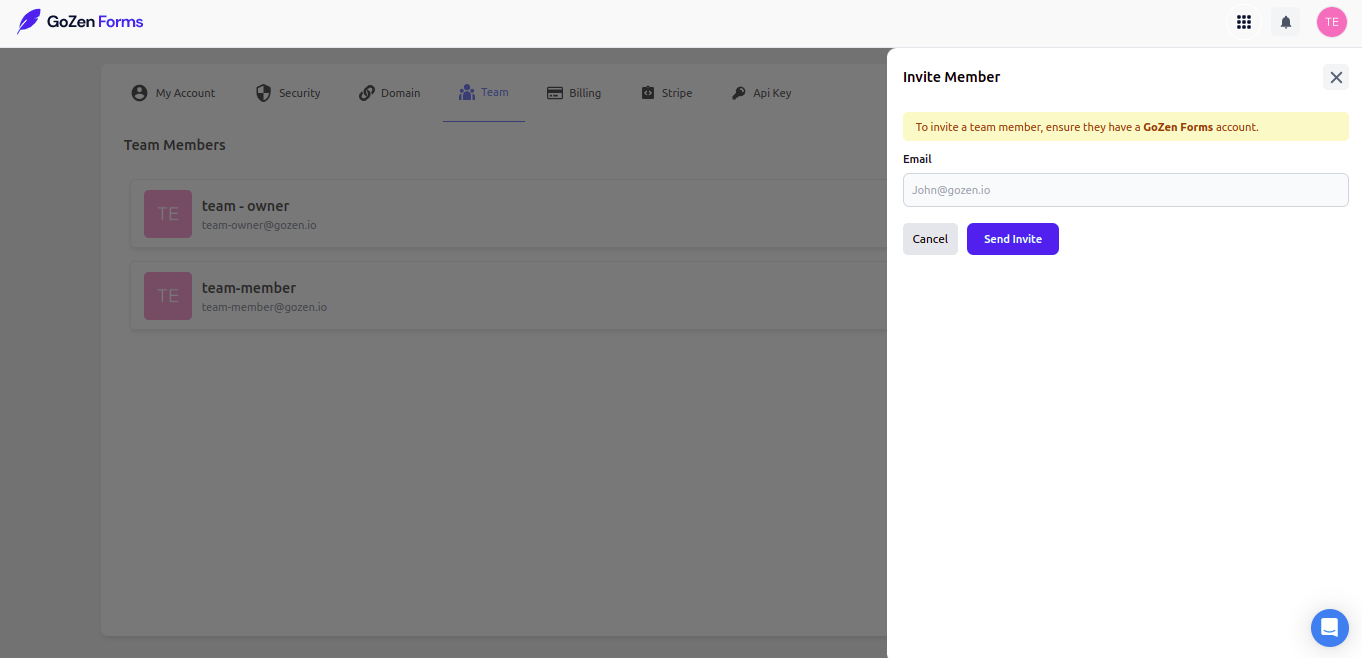
3\. Enter your name and email address, select the level of account access, and then click Invite.

User will be notified through email. Until they accept the invitation, their status will remain pending

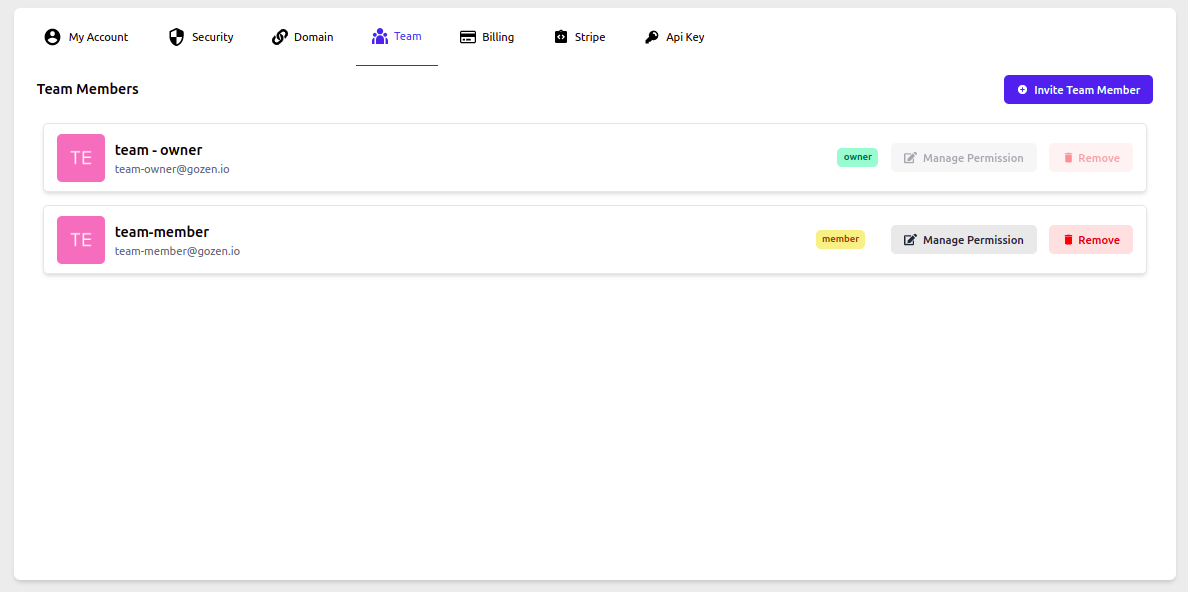
After they have confirmed their invitation you can manage permissions for the users by clicking on  "manage permissions"

<figure><img src="https://1050769033-files.gitbook.io/~/files/v0/b/gitbook-x-prod.appspot.com/o/spaces%2FfP7lsowUadzz9rYPA2VW%2Fuploads%2FM1bhjZyKevKbUqPKHBZM%2Fimage%2012%20(4).png?alt=media&#x26;token=3f196583-15c6-42b5-b307-ed21e9e84905" alt=""><figcaption></figcaption></figure>

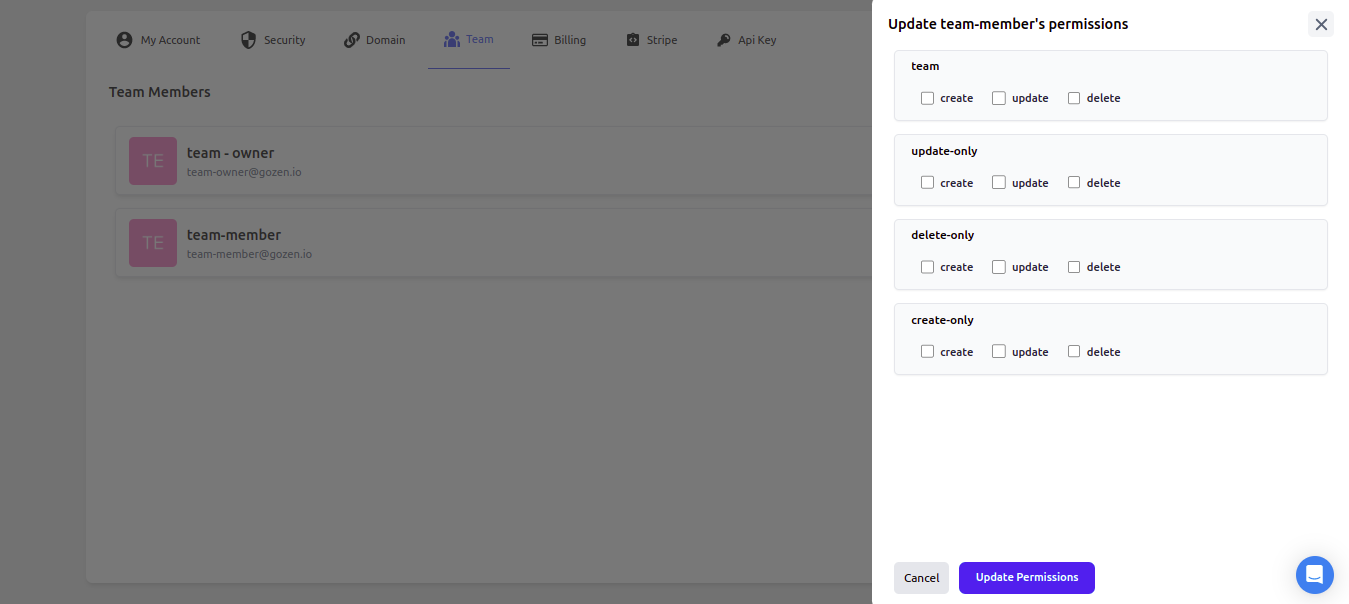
On manage permissions you can choose create update and delete options for the user&#x20;

<figure><img src="https://1050769033-files.gitbook.io/~/files/v0/b/gitbook-x-prod.appspot.com/o/spaces%2FfP7lsowUadzz9rYPA2VW%2Fuploads%2Fp0n4DaNauZR34ztdX1Tw%2Fimage%2013%20(5).png?alt=media&#x26;token=20754b54-a9a4-4db2-8c2b-adb42dba4a4b" alt=""><figcaption></figcaption></figure>

**To add the user to the workspace**&#x20;

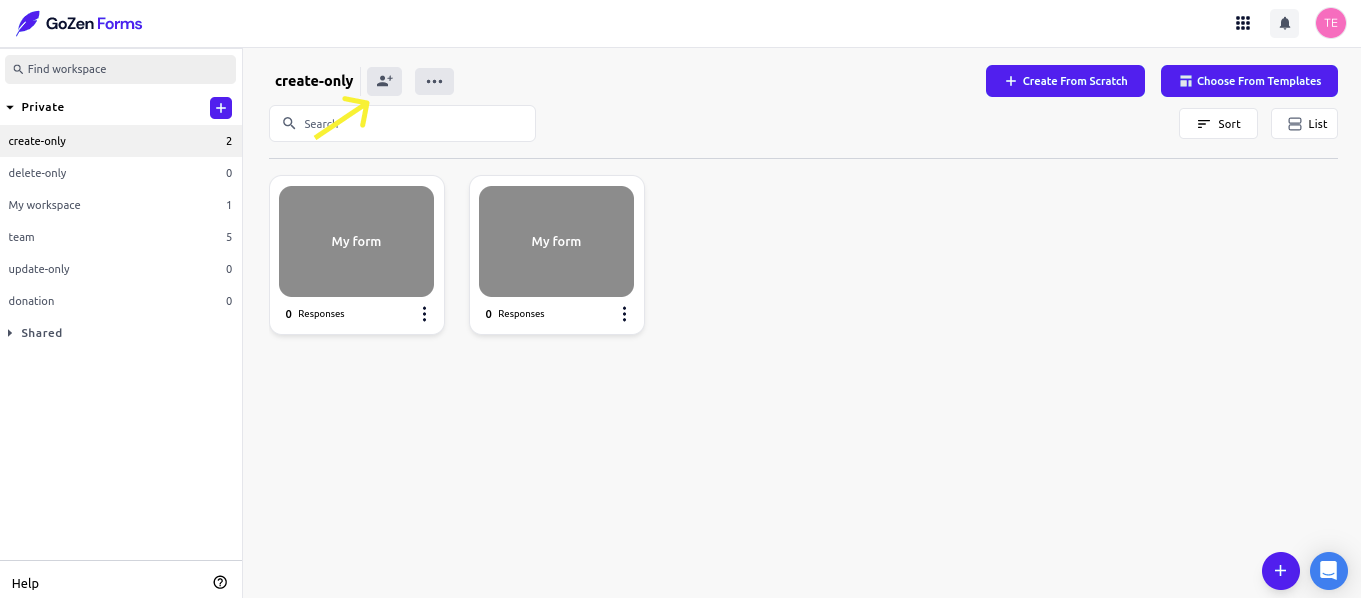
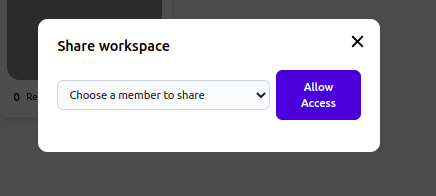
Navigate to workspace and click on the add team icon to add the users to specific workspace&#x20;

<figure><img src="https://1050769033-files.gitbook.io/~/files/v0/b/gitbook-x-prod.appspot.com/o/spaces%2FfP7lsowUadzz9rYPA2VW%2Fuploads%2FBdpobIDEUnxULYLmBvgF%2FGroup%201%20(2).png?alt=media&#x26;token=45c9dfab-9456-49bc-af7d-8e3b2798c528" alt=""><figcaption></figcaption></figure>

You can choose which team member to add to the workspace.

<figure><img src="https://1050769033-files.gitbook.io/~/files/v0/b/gitbook-x-prod.appspot.com/o/spaces%2FfP7lsowUadzz9rYPA2VW%2Fuploads%2FzJNFJiTXz8aj9yZ7YEB6%2Fimage.png?alt=media&#x26;token=3f6c5929-d845-4826-94a8-e112cfca6430" alt=""><figcaption></figcaption></figure>

**Note : when a user is removed from a workspace, they are not deleted from the account; they only get removed from that specific workspace.**

Workspace: Private vs. Shared&#x20;

**Private** - workspace are your workspace, and you can invite users to them.&#x20;

**Shared** - A shared workplace is one in which you are a member.