# Create forms using AI

&#x20;AI form creator that allows users to create a new form quickly and easily. With just a few clicks, users can create a new form by entering the form description and name.&#x20;

This streamlines the form creation process and saves time for users who need to create multiple forms

To create a form with GoZen Forms, follow these easy steps:

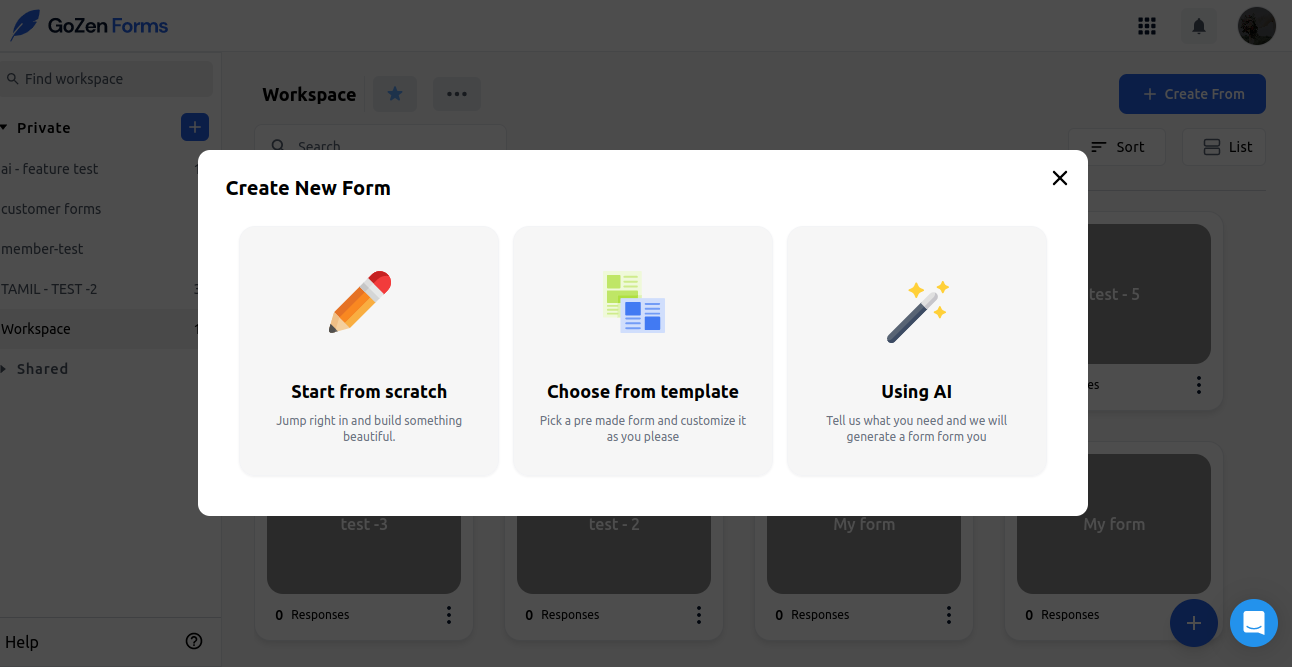
Step 1: Open the GoZen Forms dashboard. Click on create form button&#x20;

Step 2: On the pop up screen. Click on the Create ” Using Ai ”

<figure><img src="https://1050769033-files.gitbook.io/~/files/v0/b/gitbook-x-prod.appspot.com/o/spaces%2FfP7lsowUadzz9rYPA2VW%2Fuploads%2F3Ct5B5L6n6FCMtJsUPyJ%2Fimage%20(53).png?alt=media&#x26;token=6fc23fdb-5e27-4944-bf95-97a64f1ec0b8" alt=""><figcaption></figcaption></figure>

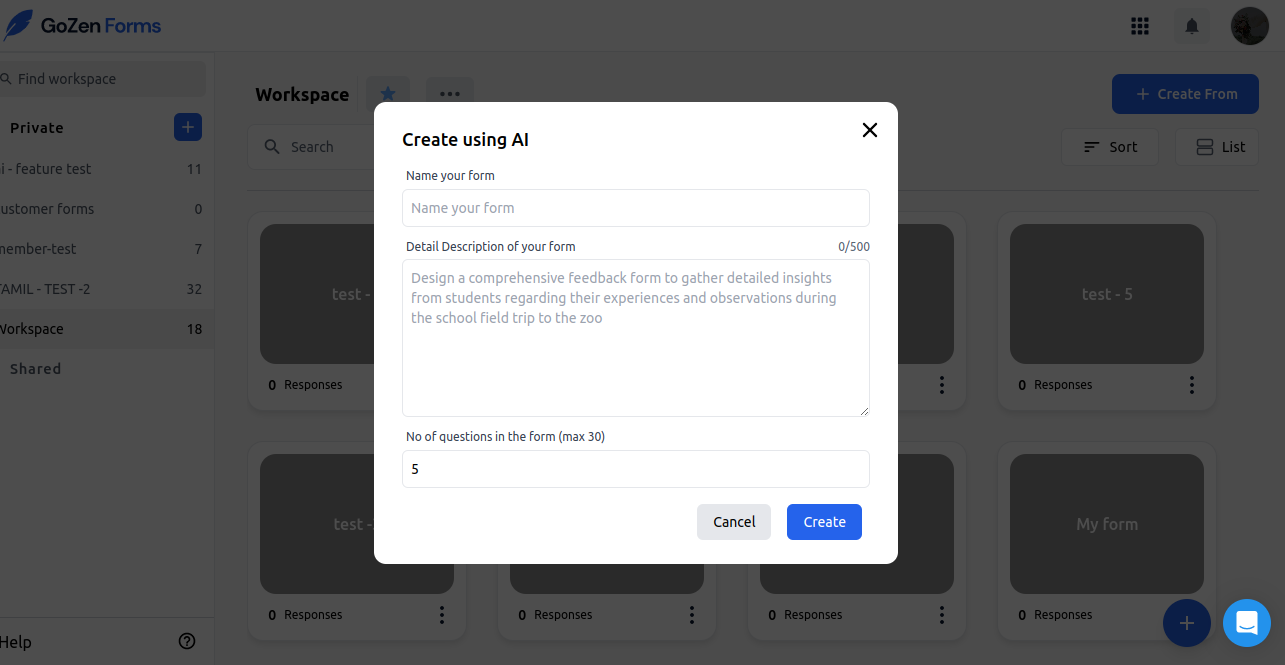
Step 3: Enter the form description and name in their respective fields.

<figure><img src="https://1050769033-files.gitbook.io/~/files/v0/b/gitbook-x-prod.appspot.com/o/spaces%2FfP7lsowUadzz9rYPA2VW%2Fuploads%2F6JLOxGEYVL6kIVy32rlh%2Fimage%20(54).png?alt=media&#x26;token=2bf525cf-3609-4f5f-b328-8f10f0332493" alt=""><figcaption></figcaption></figure>

Step 4: Click on the Create button.

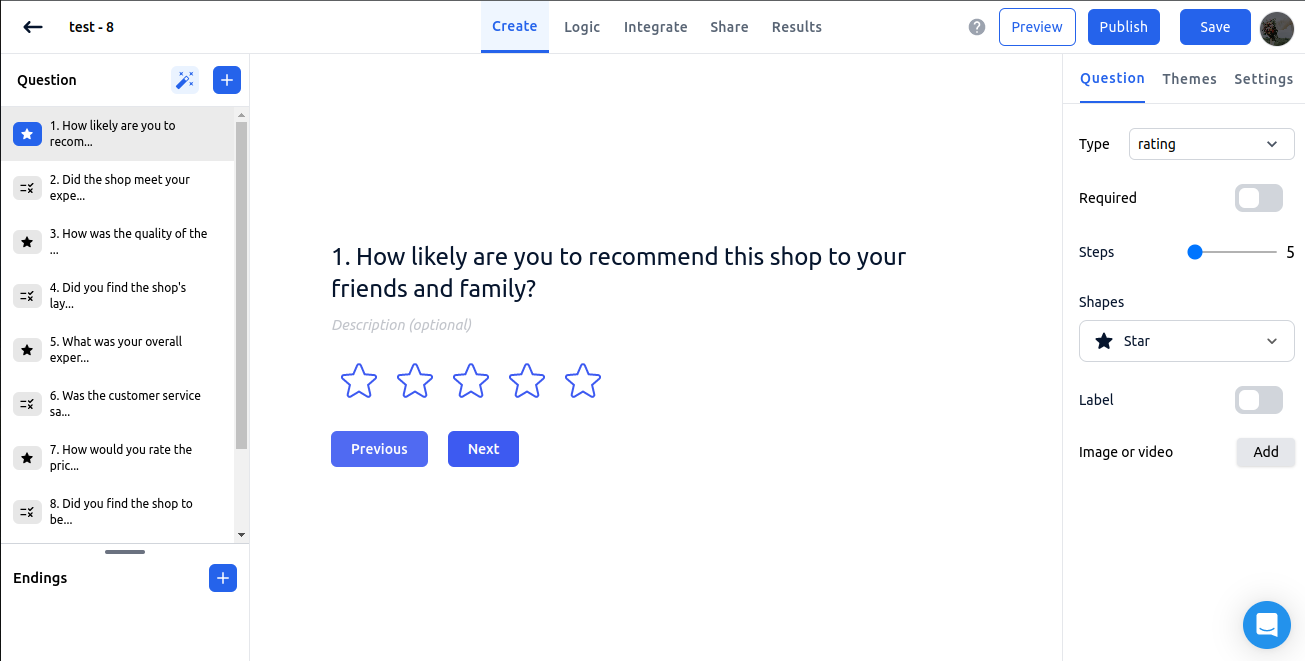
Step 5: Watch as the form is created in seconds.

<figure><img src="https://1050769033-files.gitbook.io/~/files/v0/b/gitbook-x-prod.appspot.com/o/spaces%2FfP7lsowUadzz9rYPA2VW%2Fuploads%2FQbgQlN1tsIlreIm2oCua%2Fimage%20(55).png?alt=media&#x26;token=2d90d73e-6d43-4076-be2b-234fff7a13b1" alt=""><figcaption></figcaption></figure>

After creating a form, You can create More Questions or manually add different question types&#x20;

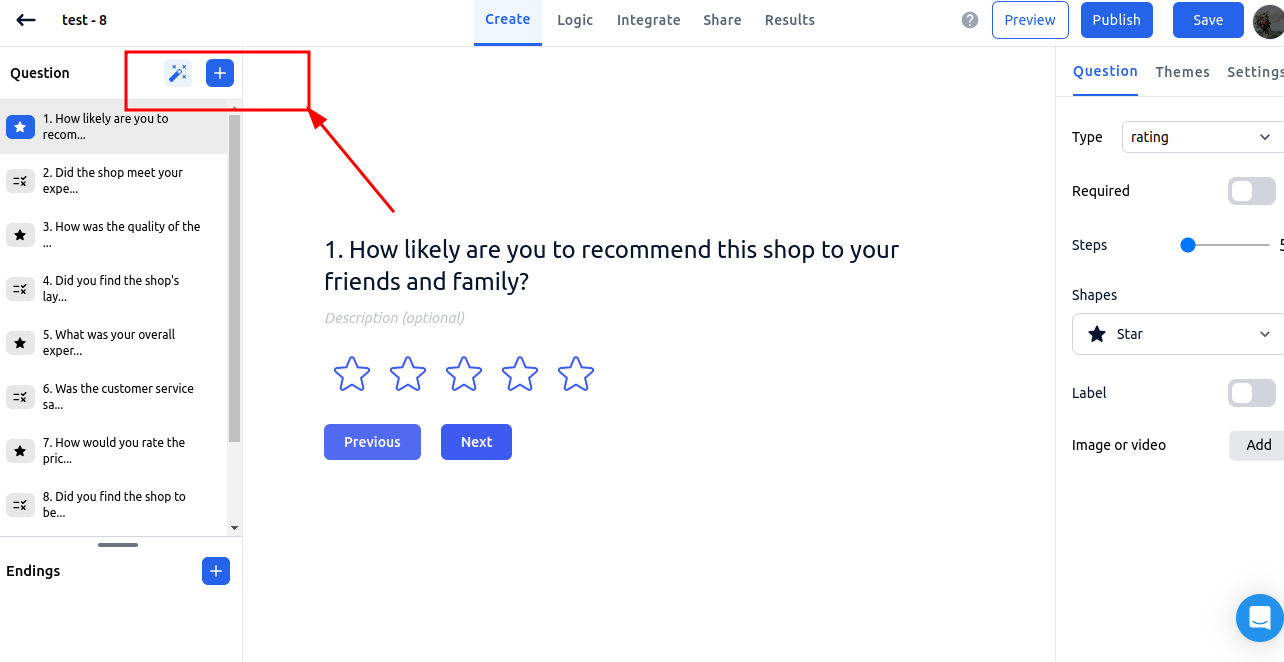
Click on the the magic wand icon to generate more questions with Ai and click on the + icon to manually&#x20;

When you click the magic wand inside the editor, we will recommend questions based on the existing questions in your form. and the form should have at least three questions for us to recommend new questions.&#x20;

If less than 3, we will disable the button.

<figure><img src="https://1050769033-files.gitbook.io/~/files/v0/b/gitbook-x-prod.appspot.com/o/spaces%2FfP7lsowUadzz9rYPA2VW%2Fuploads%2FEiV3ZgCArUskRVE34jl5%2Fimage%20(56).png?alt=media&#x26;token=74aba432-2393-4981-9bf9-21daad8760bf" alt=""><figcaption></figcaption></figure>

\ <br>

<br>